Leverage — Where Your Effort Pays
You Have a System: Where You Change It, Where You Run It
A website is not a system. You have a business operating system — here is what it runs, where you change it yourself, and the one place a change has to go through somebody else.
What you have
A website is not a system. You have a business operating system, and the website is one of the things it runs.
Here is what that means concretely. Your system runs:
- Your site — the public pages, your standing content, and how you appear to someone who has never met you
- Quotes and pricing — your service list, what each one covers, and the settings that drive every estimate you send
- Locations — the cities and ZIP codes you serve, and which services are offered where
- Content and media — blog posts, FAQs, testimonials, the gallery, and the image library everything draws from
- Search settings — your SEO settings: page titles, descriptions and how search engines read your pages
- Jobs and paperwork — job records with photos, contracts, invoices, and the people attached to each
- Contact and calendar — your contact form, which fields it asks for, and your calendar
- Your To Do inbox — email and the system's own signals arriving in one list, with a record of what you decided about each
That is not a settings page with three toggles. It is the business, configured.
Where you change it
The CMS ops panel, and that is most changes.
You sign in and do it yourself. No code, no developer, no ticket. Everything in the list above is a form, and what you change is reviewed before customers see it — you read it in the form before you save.
This is the normal way to run your system and it should be the first place you look. Most owners are surprised how much is already theirs. As tested on the headmaster's exterior cleaning business already — this is not a demo, it is the system that runs a real company.
How you run the business
The other half of your week is not changing the system at all. It is bids, estimates, proposals, outreach emails, review replies, social posts and follow-ups — the knowledge work that fills your calendar. That runs on Claude.ai.
The difference that matters is not which tool you open. It is what happens when you get it wrong:
| Changing the system | Running the business | |
|---|---|---|
| Where | Your CMS ops panel | Claude.ai |
| What comes out | A change to your live site | A document, message, or estimate |
| Review | You see it before you save; then it updates | You read it before you send it |
| If it's wrong | Change it back in the same screen | You already sent it to a customer |
Read the last row twice. It is the reason these are kept apart. A bad change to your site is a screen you go back into.
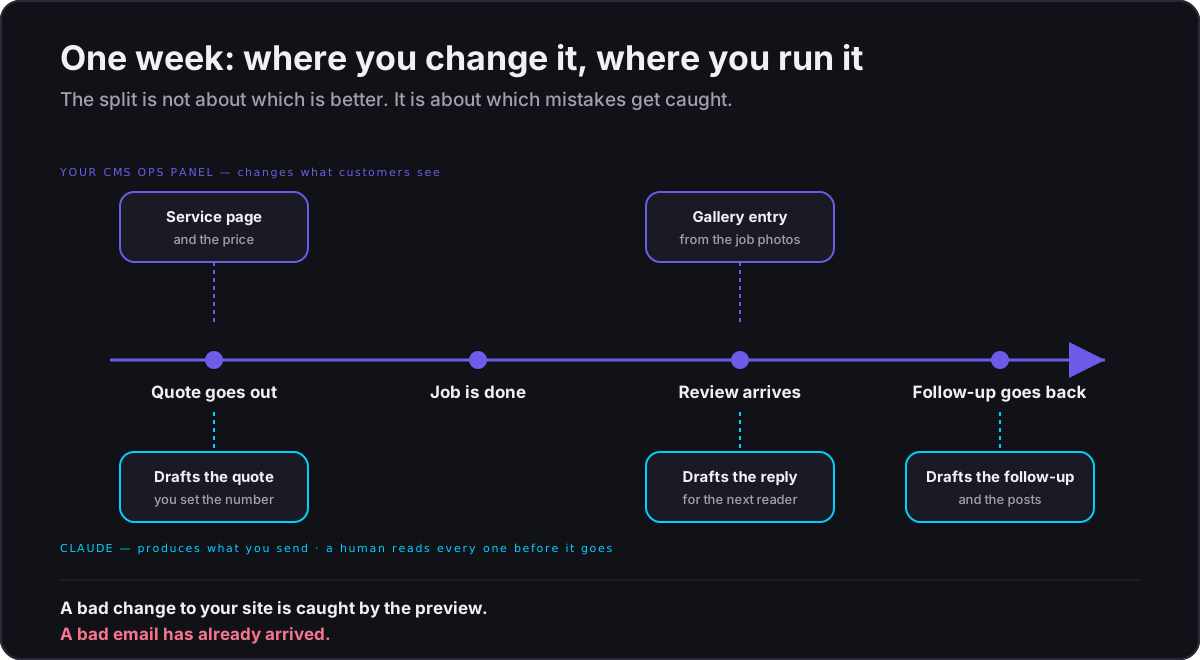
A bad email is already in someone's inbox.
When you want more than the system does
Sometimes you will want something the panel has no screen for. That is not you doing it wrong and it is not a limitation you have to work around — it is an enhancement I have not provided yet.
Tell your provider contact. That is the whole answer. Describe it in plain language; you never touch code.
An enhancement is built into the platform as a setting or a screen, not as custom code for one business. The CMS ops panel is where most changes happen. If you never open an IDE for as long as you run this business, nothing has gone wrong.
Two things fall outside the panel right now:
- Site-wide banners and seasonal styling — a promotional banner across the top of your site, or a colour and theme change. No panel screen owns this yet.
- Navigation and menus — adding, removing or reordering the items in your site's menu.
Both are tracked as panel work, not left as a permanent split in how your system is run. Until they land, ask your provider contact.
The risk difference holds wherever the change is made: a change to the system is reviewed before customers see it, and a message to a customer is not.
Where the effort actually pays
New owners tend to spend their first month on the *website*, because it is visible and satisfying. That is almost always the wrong place to start.
Ask a blunt question about any task: if I got one hour back here, what would it be worth?
- Rewriting your "About" page — worth something, once, and it is already written.
- Getting a bid out the same day instead of three days later — worth the job.
- Replying to a two-star review within a day — worth every future customer who reads it.
- Turning one site visit into a follow-up sequence — worth the repeat work.
The pattern: effort pays where work is repeated, time-sensitive, or currently not happening at all.
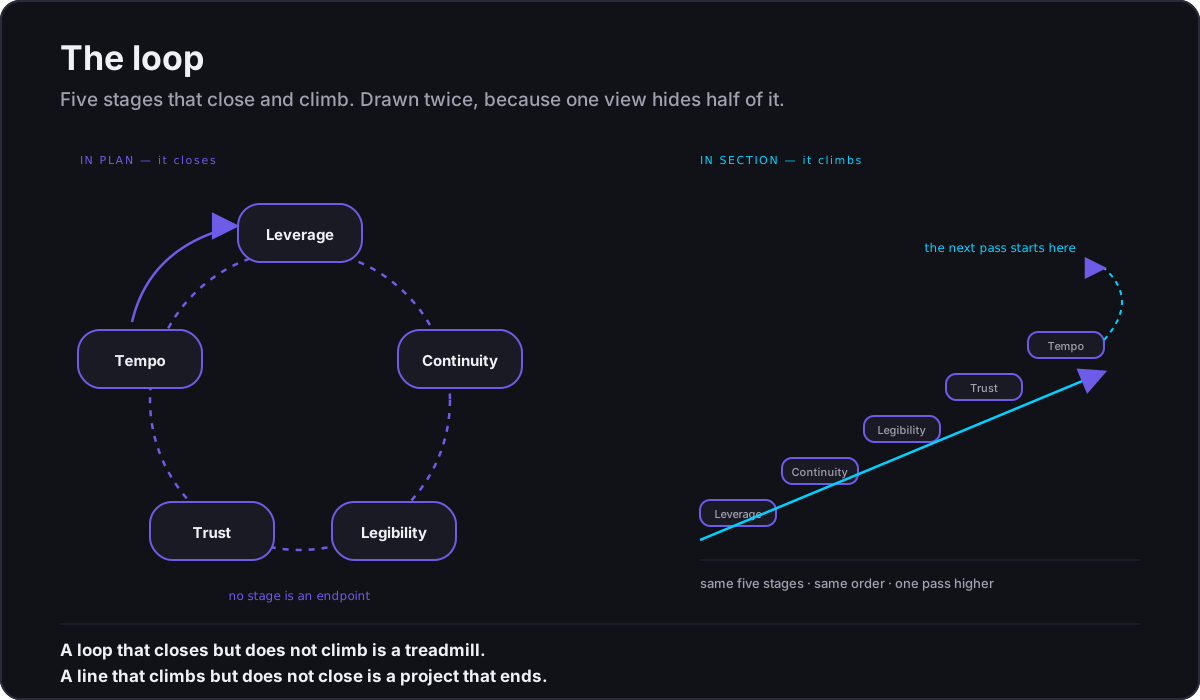
Effort does not pay on things that are already done and rarely seen.
Your site matters. It matters *less* than the fact that a request for quote sat unanswered over a weekend.
A word about the words
You will see two phrases in the wild:
- "Vibe coding" — describing what you build by conversation with an AI rather than by typing code.
- "Agentic delivery" — describing work where AI tools carry out multi-step tasks with you supervising.
Both are useful shorthand for talking to other business owners. The precise term for the way your system is built and maintained is agent-orchestrated delivery: automated tools do the work, and a human holds the decisions that are expensive to undo. When this curriculum needs to be exact, it uses *agent-orchestrated*. When you are explaining it at a chamber-of-commerce breakfast, the shorthand is fine.
What to do this week
- Sign in to your CMS ops panel and open every section once. Change nothing. You are learning what is already yours, and that list is longer than most owners expect.
- Open Claude.ai and confirm you can sign in.
- Write down the five tasks that eat the most of your week.
- Mark each one system or business — and for the system ones, note which panel section owns it.
- Start with the business-side task that is currently *not happening* — the follow-ups you never send, the reviews you never answer. That is where the first hour pays most.
You do not need Cursor or Claude Code this week, or any week. If a change turns out to have no panel screen, tell your provider contact — it is not a tool you have to learn.
The rest of this track works through all three, one capability at a time: what the system runs, where you change it, and how you run the business on top of it.